

Documentation Index
Fetch the complete documentation index at: https://docs.replay.sale/llms.txt
Use this file to discover all available pages before exploring further.
This guide is for users accessing Replay activities embedded in a Learning Management System (LMS).
Finding the Settings Menu
Look for the gear icon in the bottom-right corner of your activity.
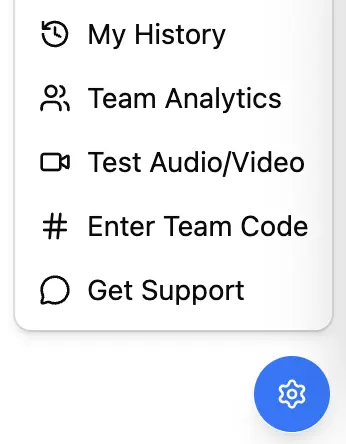
Menu Options
My History
View all your past activity attempts and scores. This shows a complete record of your training progress.Test Audio/Video
Before starting a roleplay, verify your microphone and camera are working properly. This helps ensure a smooth experience during voice-based activities.Enter Team Code
This option may not be available for all users. Your company admin controls whether team codes are enabled.